Asana acquires StackAI — now every human-agent workflow runs in one place.Learn more
ai studio
Powerful no-code automations that keep your daily work moving
Build AI-powered workflows that handle intake, routing, alerts, and more —so your team can focus on what matters.

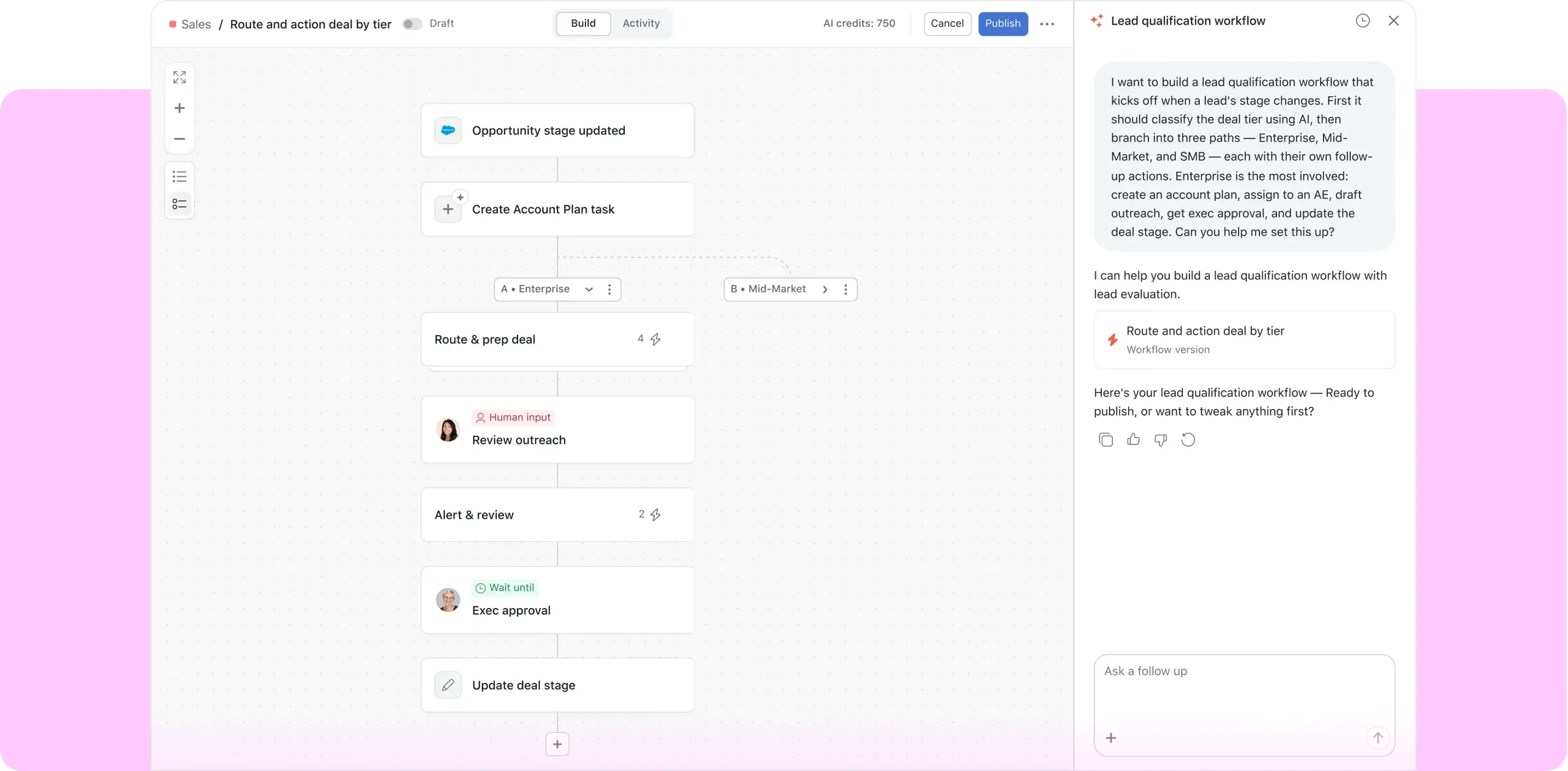
AI that works with you at every stage of a workflow
- Intake
- Surface
- Act
Act on the right work, at the right time
Check
Validate completeness, detect duplicates, and enforce policy compliance
Classify
Categorize, normalize, score, and apply SLA rules
Route
Direct work to the right team, owner, or approval stage
Catch problems before they escalate
Alert
Flag risks, blockers, and slippage before they become problems
Report
Produce stakeholder roll-ups and executive summaries on demand
Research
Search across internal documents, Google Drive, and the web
Drive every workflow to completion
Create
Generate briefs, templates, and comms tailored to request type
Integrate
Trigger actions and sync data across your connected tools
Translate
Localize content across languages for global teams
Build AI workflows in minutes


Set the trigger
Choose when your workflow fires — a new task, form submission, or any project event.
Define what happens
Write plain-language instructions for what AI should do, like check, classify, or route.
Sit back and let it run
AI handles the busywork automatically.
AI for every workflow
- Request tracking
- Resource management
- Strategic planning
Organize and prioritize requests across teams
Capture new work requests
Gather essential information to begin work
Prioritize and triage every request
Keep workloads balanced and projects on track
Estimate time needed for each work request
Allocate work to the right people based on capacity
Gather insights to inform future work
Align objectives and track progress
Prioritize work requests based on how they align to company and team goals
Move work into the right projects automatically to stay organized
Check for duplicative work across portfolios to ensure seamless coordination

![[Logo] Clear Channel Outdoor](https://assets.asana.biz/transform/9120e59d-a371-4090-96b7-7c05b4a46876/WEB-AI26-builder-clear-channel-outdoor?io=transform:fill,width:2560&format=webp)
Company Size
Mid-market
Industry
Media & entertainment
From what I've seen with AI Studio, what the efficiencies are, my mind is blown.
Jennifer Kordosky
VP, Creative & Marketing Operations at Clear Channel Outdoor
AI Studio plans
Available on Starter, Advanced, Enterprise, and Enterprise+ plans.
AI Studio
Basic
Explore how AI can help take on routine manual work
Included on all paid plans
Includes pre-set credit limit per month
N/A
Scaled security and compliance
N/A
Web search and research
N/A
AI Studio
Plus
Level up productivity for individuals and small teams
$135 per account, per month billed annually. $150 billed monthly.
Includes 100K credits per month
N/A
Scaled security and compliance
N/A
Web search and research
N/A
Live onboarding services available for purchase
N/A
AI Studio
Pro
Scale complex workflows and business operations
Contact sales for pricing
Includes 5M credits per quarter
N/A
Scaled security and compliance
N/A
Web search and research
N/A
Live onboarding services available for purchase
N/A
Advanced billing controls
N/A
How leading teams drive results with AI Studio
See how teams across IT, finance, and marketing are using Asana AI Studio to streamline work and scale impact. These case studies aren’t hypotheticals—they’re real workflows, already in motion.


![[Image] Learn AI Studio in three minutes](https://assets.asana.biz/transform/9ab1c284-7404-4f6b-a0f7-2c9adf40a408/WEB-AI26-RESOURCE-INTRO_298x198_en-US?io=transform:fill,width:2560&format=webp)
![[Image] AI Studio Foundations Skill Badge](https://assets.asana.biz/transform/a5502e1c-a21c-4ab4-8304-ab696acea24c/WEB-AI26-RESOURCE-CERT_298x198_en-US?io=transform:fill,width:2560&format=webp)
![[Image] Connect with AI Studio creators around the globe](https://assets.asana.biz/transform/b5e2d0c1-0fbb-4498-896d-d46f1a887387/WEB-AI26-RESOURCE-COMMUNITY_298x198_en-US?io=transform:fill,width:2560&format=webp)
Better together: AI Studio and AI Teammates
AI Studio lets you create workflows to take on busywork, while AI Teammates can collaborate on complex projects—empowering your team to deliver better, faster results.
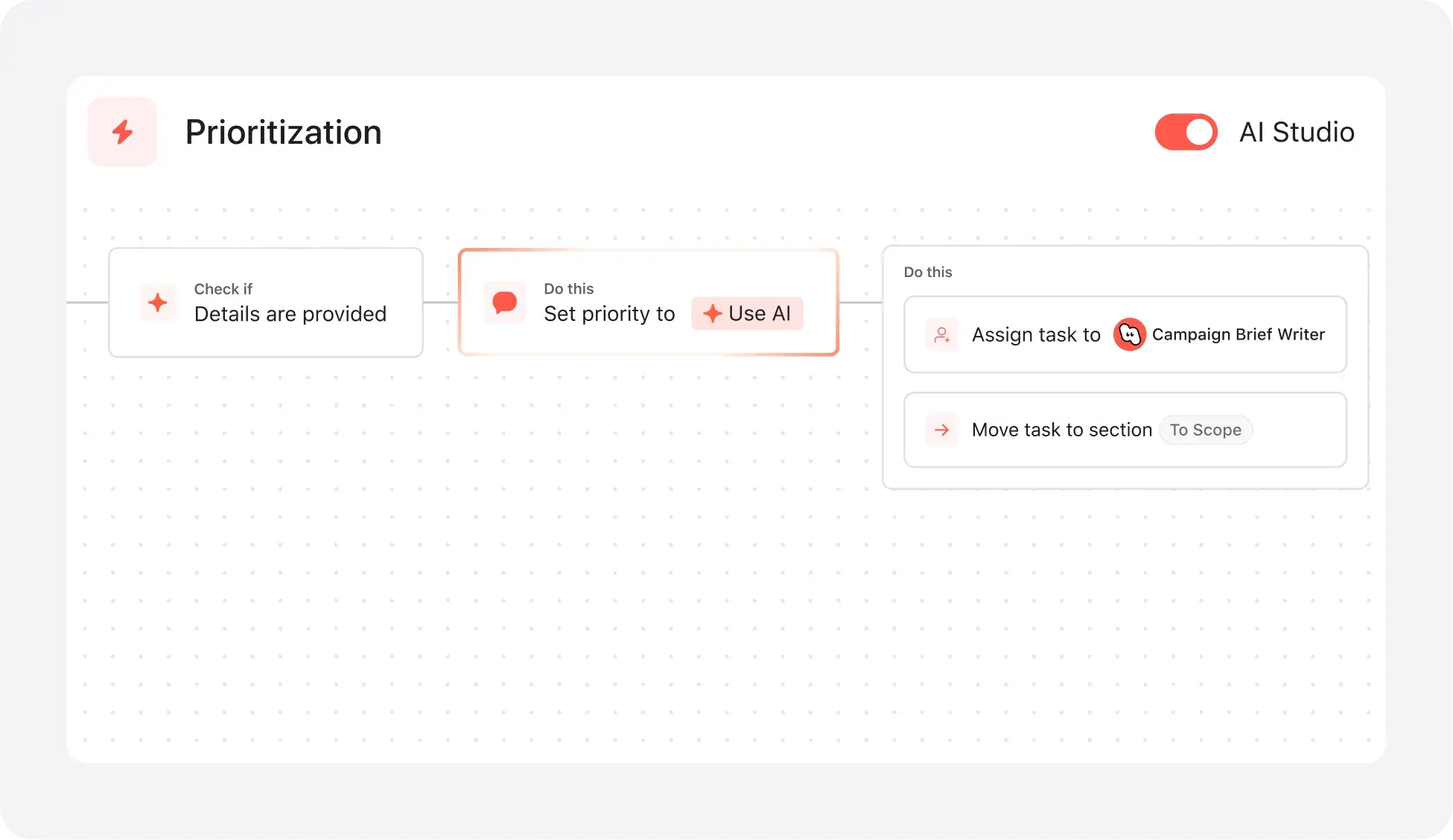
AI STUDIO
Be the first to try out new AI Studio experiences
Sign up to hear about upcoming opportunities to try new functionality before it launches.