Asana が StackAI を買収 — すべてのヒューマンエージェントのワークフローを 1 か所で実行できるようになりました。詳しく見る


Asana は、スタートアップからフォーチュン 100 企業まで、17 万以上のチーム*から高い評価を受けています。









Asana と Smartsheet の違いとは?
機能
チーム向けの AI
Asana AI チームメイトは、ワークグラフを活用した AI エージェントです。そのため、使用を開始したその日から、チームの目標、プロジェクト、依存関係を把握します。また、AI のすべてのアクションは可視化され、監査可能です。 詳しくはこちらをお読みください。
価値実現までの時間 (TTV) を短縮
導入に時間がかからず、生産性、効率、コラボレーションを向上できます。
迅速な導入のための体系的なオンボーディングとガイダンス
Asana は、直感的なインターフェイスに加えて、組み込みのガイダンス、テンプレート、チェックリスト、および Asana アカデミーのトレーニングを提供しています。これにより、チームはすぐに作業を開始でき、一貫性を維持でき、仕事の規模が拡大しても整理された状態を保つことができます。 詳しく見る
Built-in time tracking
Asana provides built-in time tracking for tasks and projects, enabling teams to estimate and log work directly in the platform, with optional integrations available for advanced analysis. Learn more
組織全体で使える直感的なレポート機能
Asana は、ビジネスの規模に応じて拡張可能なリアルタイムのレポート機能を提供します。 チームは、数千件に及ぶプロジェクトやタスクにわたって目標、ポートフォリオ、パフォーマンス指標を追跡できます。また、戦略と実行を結びつけるダッシュボードとインサイトも利用できます。 詳しく見る
Secure administration at scale
Asana offers governance and compliance features with centralized admin controls, built-in audit logs, and role-based access, supporting scalable administration and audit readiness. Learn more
Asana がお客様に選ばれる理由


I've used Trello, Smartsheet, MS Project, and other platforms similar to Asana. I must say that it's by far the simplest to absorb and make your own but still align with your primary platforms for email and calendar.
Having tried other platforms like Smartsheet and Monday, Asana has the cleanest, user-friendly design that doesn't require extensive training. Asana AI Studio is a game changer for automating workflows and coordination.

「Asana を使えば、OKR の管理や追跡も簡単になります。 全社で重要な優先事項を把握しているため、それに基づいて業務の計画、管理、報告ができます。 効率が大幅に向上したため、計画の遂行もスケールアップもさらに迅速化しています。」
- Dian Rosanti、プロダクトマネジメント

"Zoom の成長に伴い、仕事の優先順位付けやビジネス上の意思決定を行うために、すべての作業を標準化したいと考えました。" 私たちは、可視性、説明責任、仕事の進め方の一貫性、そしてチーム間の知識共有を必要としていました。」
—Ariel Chavan 氏、セキュリティ部門責任者
Asana は柔軟でスケール可能なワークフローでチームをサポート
Asana を活用して、あらゆる規模のチームが 1 か所でプロジェクトのカスタマイズ、ツールの連携、進捗の報告を行う方法をご紹介します。
- Automation and AI
- User experience and usability
- Onboarding and training
- Customization capabilities
- Project planning and tracking

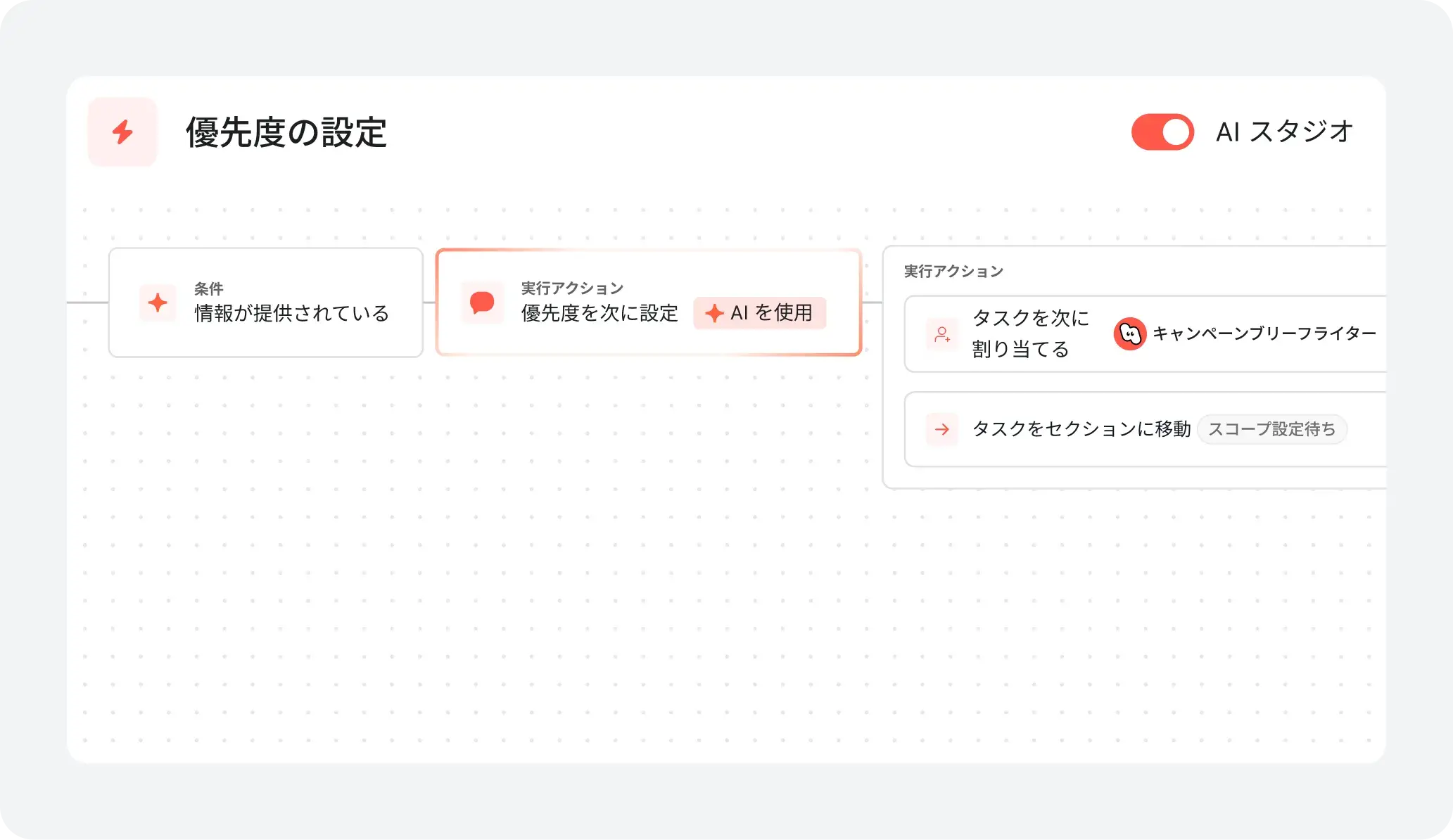
AI your whole team can actually use
Asana AI Teammates understand your goals, projects, and dependencies from day one—Smartsheet’s AI is confined to the "grid," analyzing rows of data without understanding human workflows.
Asana AI Teammates build shared memory that compounds across your whole team—Smartsheet AI resets with every new sheet, preventing the growth of a collective team memory.
Every AI action is visible in your activity log, just like a human teammate—Smartsheet treats AI like a formula, leaving no clear "teammate" identity to track or hold accountable.
Structure work with an adaptable interface
Asana provides a modern, visually intuitive interface with customizable project views, including lists, boards, calendars, and timelines, so teams can organize work in the way that fits their process best.
Users can instantly switch between project views and configure saved tabs for each project to support clarity, prioritization, and efficient task management across the organization.
Smartsheet relies on a spreadsheet-style interface and presents a steep learning curve, while Asana provides multiple project views that are flexible, accessible, and scalable across teams of all sizes.
Reduce setup time and accelerate team adoption
Asana provides customizable onboarding flows and preconfigured project templates, allowing users to get started quickly and follow clear steps tailored to their team’s needs.
Onboarding resources—including Asana Academy, step-by-step tutorials, in-app guidance, and live expert sessions—help teams of all sizes adopt new workflows with confidence, minimizing the need for prolonged training or external consultants.
Smartsheet requires more technical configuration and can be challenging for non-technical users, while Asana provides a guided, user-friendly onboarding experience that reduces training time and accelerates adoption.
Personalize with custom fields and templates
Asana lets teams of all sizes add unlimited custom fields—like priority, stage, or channel—to any project for tracking and visual task organization.
In Asana teams can color-code, filter, and sort tasks instantly, making project management clear and actionable for every project.
Compared to Smartsheet’s grid-first experience, Asana offers deeper built-in workspace personalization and structure without relying on paid add-ons to achieve a tailored project experience.
Plan & track project progress in one hub
Asana supports structured project delivery with templates, automation, and built-in tracking fields, including native time tracking fields and embedded timers at the task and project level, so teams can plan and log work without leaving the workflow.
Teams can incorporate tracking into templates (e.g., owners, status, effort, time estimates) and use dashboards to monitor progress and compare planned vs. actuals for clearer workload and resource decisions.
Smartsheet requires third-party integrations for time tracking, adding setup and workflow fragmentation, while Asana covers core planning and tracking needs directly in-platform.
専門家からの Asana の評価
Asana は業界アナリストや大企業のお客様から、ワークマネジメントプラットフォームの決定版としての評価を頂いています。

Forrester Wave の「コラボレーティブワークマネジメントツール 2025 レポート」でリーダー企業に選出


3 年連続で Gartner マジック・クアドラント「コラボレーティブワークマネジメント」のリーダー企業に選出
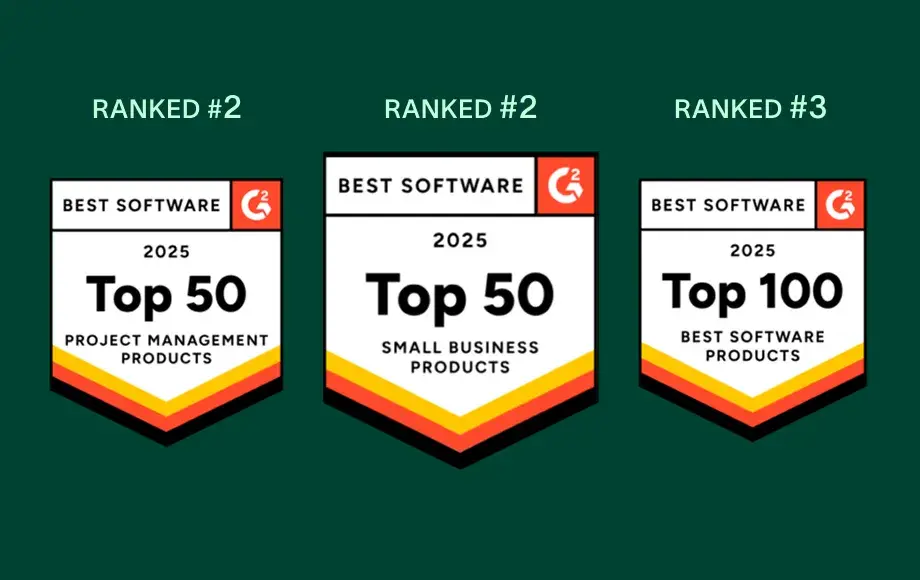
12,000 件を超えるユーザーレビューにより、ワークマネジメントと OKR ソフトウェアのリーダー企業に選出


会社の規模
Enterprise 以上
業界
テクノロジー
Asana has completely changed the way our design team works. We now have full visibility into priorities, timelines, and workloads, which has helped us deliver higher-quality work faster—and with less burnout.
Mike Evans
Sr. Manager Multimedia, Asurion


FAQ (よくある質問)
How easy is it to migrate our projects from Smartsheet to Asana?
Is Asana hard to learn for users switching from spreadsheet-based tools?
How does Asana support users worried about a steep learning curve?
What onboarding resources does Asana provide for change management?
How does Asana help prove ROI after getting started?
フォーチュン 100 企業の 85% が Asana を採用**。あなたも仲間入りしませんか
**2025年 12月時点のデータに基づきます。無料ユーザーと有料ユーザーが含まれます。