Asana acquires StackAI — now every human-agent workflow runs in one place.Learn more
ASANA VS. TRELLO
Scale complex projects beyond kanban boards with Asana
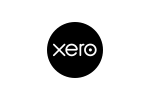
With built-in timeline and gantt views, native automation, and advanced reporting, Asana gives project managers the structure and visibility to scale complex work with confidence.

Asana is trusted by 170,000+ teams, from startups to Fortune 100 companies








How does Asana compare to Trello?
FEATURES
AI built for teams
Asana AI Teammates are AI agents powered by the Work Graph, so they understand your team's goals, projects, and dependencies from day one—and every AI action is visible and auditable. Learn more.
Scalable automation and AI workflows
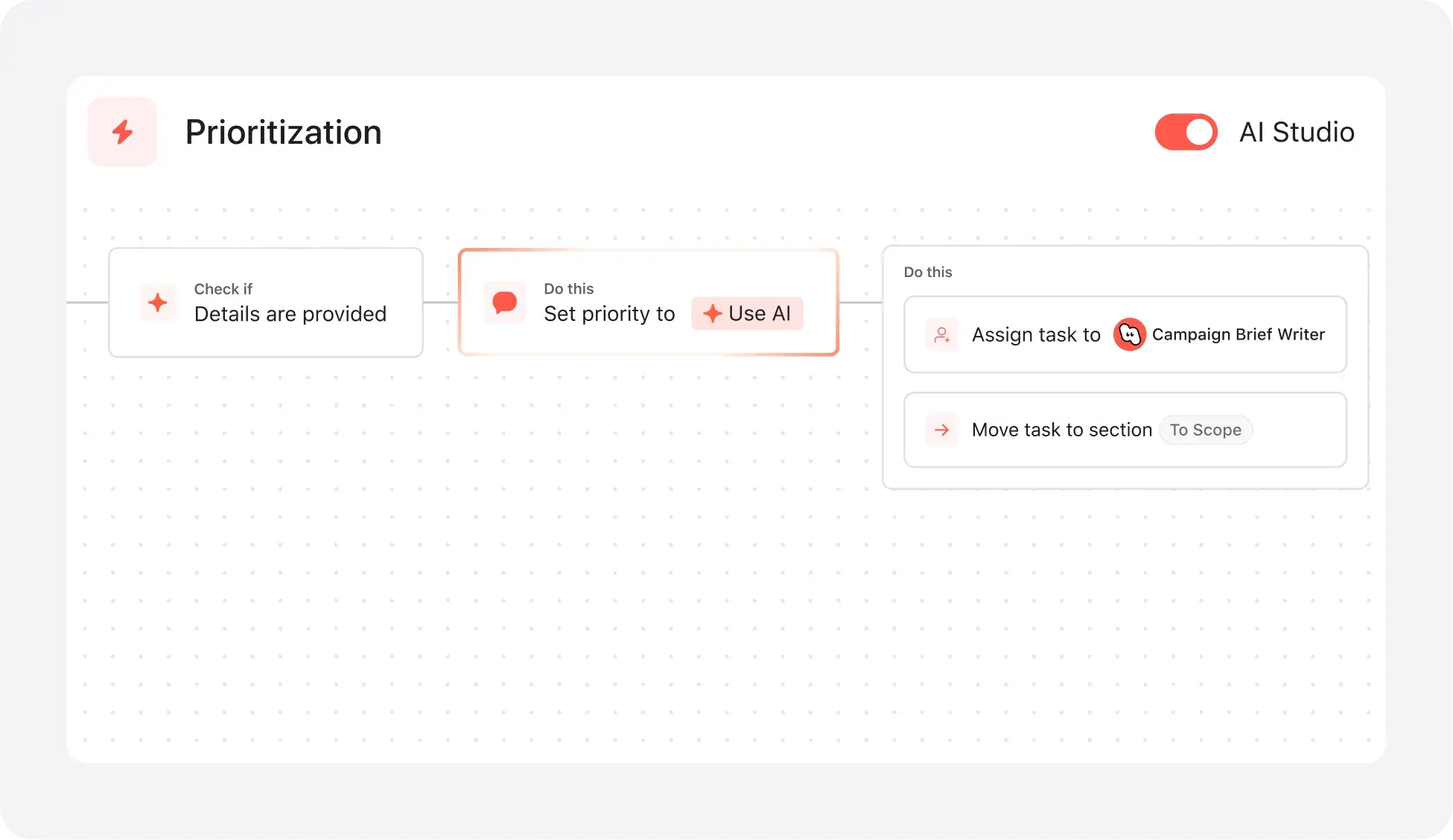
Asana helps teams save time and reduce manual work with advanced automation and AI features that streamline processes—not just communication or productivity tasks. With AI Studio, you can build smart workflows tailored to your team’s processes. Learn more
Structured onboarding and guidance for fast adoption
Asana combines an intuitive interface with built-in guidance, templates, checklists, and Asana Academy training to help teams get started quickly, maintain consistency, and stay organized as work scales. Learn more
Multiple native project views
Asana allows users to switch between multiple project views with a single click—including list, board, timeline, and calendar—enabling teams to manage complex projects, track dependencies, and choose the view that best fits their workflow. Learn more
Intuitive organization-wide reporting
Asana delivers real-time reporting that scales with your business. Teams can track goals, portfolios, and performance metrics across thousands of projects and tasks, with dashboards and insights that connect strategy to execution. Learn more
Advanced built-in task management
Asana natively supports advanced task management by helping teams stay on track, simplify approvals with one-click sign-offs, and maintain a single record across multiple projects, keeping complex work organized without third-party add-ons. Learn more
400+ integrations for connected work
Asana offers 400+ integrations with popular tools like Slack, Microsoft Teams, Google Drive, and Salesforce, enabling teams to connect workflows across projects and departments and scale collaboration efficiently. Learn more
Why our users prefer Asana


"I've used Asana across multiple teams and project types, from marketing campaigns to product development. Compared to other project management tools, ... Asana is my favorite."
"I have used many project management tools, including Monday.com, Trello, ClickUp, and Wrike. Asana has the most intuitive interface, advanced integrations, smart features, and intuitive UI."

“Asana makes it easy to manage and track OKRs. Our entire company knows what the key priorities are and can plan, track, and report on work accordingly. It’s made us much more efficient so we can execute and scale faster.”
-Dian Rosanti, Product Management

“As Zoom grew, we wanted a standard view of everything going on so we could prioritize work and make business decisions. We needed visibility, accountability, consistency in how work gets done, and knowledge sharing across teams.”
-Ariel Chavan, Head of Security
Asana powers teams with flexible, scalable workflows
Explore how Asana helps teams of all sizes customize projects, connect tools, and report on progress—all in one place.
- Automation and AI
- Onboarding and training
- User experience and usability
- Reporting and analytics
- Integrations and scalability

AI your whole team can actually use
Asana AI Teammates understand your goals, projects, and dependencies from day one—Trello’s basic board structure lacks the depth to connect daily cards to high-level strategy.
Asana AI Teammates build shared memory that compounds across your whole team—Trello’s Butler automation handles one-off tasks but never learns your team’s broader business context.
Every AI action is visible in your activity log, just like a human teammate—Trello’s automations are often hidden, making it difficult to audit AI-driven changes.
Reduce setup time and accelerate team adoption
Asana provides customizable onboarding flows and preconfigured project templates, allowing users to get started quickly and follow clear steps tailored to their team’s needs.
Onboarding resources—including Asana Academy, step-by-step tutorials, in-app guidance, and live training—help teams of all sizes adopt new workflows with confidence, minimizing the need for prolonged training or external consultants.
Trello provides limited onboarding guidance and minimal structured resources, while Asana provides a guided, user-friendly onboarding experience that reduces training time and accelerates adoption.
Structure work with an adaptable interface
Asana provides a modern, visually intuitive interface with customizable project views, including lists, boards, calendars, and timelines, so teams can organize work in the way that fits their process best.
Users can instantly switch between project views and configure saved tabs for each project to support clarity, prioritization, and efficient task management across the organization.
Trello’s free plan includes Kanban-style boards, with additional views available on paid plans, while Asana provides multiple project views that are flexible, accessible, and scalable across teams of all sizes.
Real-time dashboards for organization-wide clarity
Asana builds reporting dashboards from live project data—no manual updates or spreadsheet exports needed.
With Asana, teams can monitor project status, spot risks, and drill into blockers instantly, ensuring alignment across multiple projects and departments.
Trello offers only basic, board-level reporting, while Asana delivers cross-project rollups and real-time portfolio insights for tracking project progress at scale.
Connect 400+ integrations for scalable workflows
Asana connects with over 400 apps—including Slack, Google Workspace, Salesforce, and Tableau—so teams can automate handoffs and centralize work in one place.
Teams reduce manual updates and keep work in sync by linking Asana to marketing, analytics, and IT tools.
Trello supports 200+ integrations, while Asana supports 400+ integrations.
What experts say about Asana
Asana is rated as a top work management platform by industry analysts and enterprise organizations.


A Leader in The Forrester Wave: Collaborative Work Management Tools 2025 Report

A Leader in the 2025 Gartner Magic Quadrant for Collaborative Work Management three years in a row
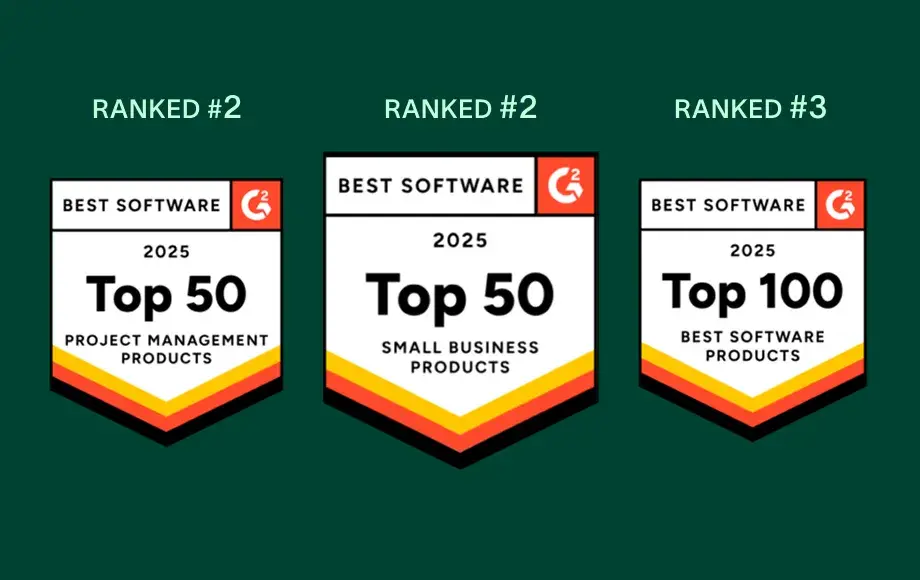
A leader in Work Management and OKR Software with more than 12,000 user reviews
FAQs
Is Asana hard to learn for teams used to Trello?
What onboarding resources are available for new Asana users?
What support is available for teams with unique onboarding needs?
What features help teams adopt Asana quickly?
How do I migrate my team from Trello to Asana?
How can decision makers measure ROI after switching to Asana?
Join 85% of Fortune 100 companies using Asana**
**Accurate as of December 2025, includes free and paid users.