Asana acquires StackAI — now every human-agent workflow runs in one place.Learn more
ASANA VS. JIRA
Simplify project management for every team
Move beyond Jira’s technical complexity with Asana’s intuitive interface and flexible customization. Teams can automate, integrate, and adapt workflows visually, making project management accessible for both business and technical users.


Asana is trusted by 170,000+ teams*, from startups to Fortune 100 companies









How does Asana compare to Jira?
FEATURES
AI built for teams
Asana AI Teammates are AI agents powered by the Work Graph, so they understand your team's goals, projects, and dependencies from day one—and every AI action is visible and auditable. Learn more.
400+ native integrations for connected work
Asana offers 400+ native, first-party integrations with popular tools like Slack, Microsoft Teams, Google Drive, and Salesforce, enabling teams to connect workflows across departments and scale collaboration efficiently. Learn more
Project and workflow customization
Asana provides structured, easy-to-use customization with custom fields, multiple project views, and templates, enabling teams to adapt quickly and manage workflows efficiently without added complexity. Learn more
Centralized updates across work
Asana connects communication and project updates in one place. Comments, file sharing, and a centralized inbox help keep everyone aligned, and tasks can live in multiple projects so updates flow across teams automatically—without extra tools. Learn more
User-friendly interface
Asana’s simple, approachable design makes it easier for teams to get started, create projects independently, and manage work efficiently without technical setup. Learn more
Complex issue management
Asana simplifies task coordination with clear assignments, deadlines, and flexible project views for business-wide adoption, making it easier for teams to manage work efficiently. Learn more
Enterprise-ready platform
Asana offers a unified, user-friendly platform with unlimited automation, broad integration support, and organization-wide standardization, enabling teams to scale efficiently without added operational complexity. Learn more
Why our customers prefer Asana


I find Asana incredibly valuable for managing product teams, planning, and handling daily tasks due to its user-friendly interface, which is a significant improvement over my team's previous experience with Jira.
I love the ease of use that Asana offers, making it simple to set up boards and manage projects. … Compared to Jira, Asana's streamlined project management strongly appeals to me as a designer.

“Asana makes it easy to manage and track OKRs. Our entire company knows what the key priorities are and can plan, track, and report on work accordingly. It’s made us much more efficient so we can execute and scale faster.”
-Dian Rosanti, Product Management

“As Zoom grew, we wanted a standard view of everything going on so we could prioritize work and make business decisions. We needed visibility, accountability, consistency in how work gets done, and knowledge sharing across teams.”
-Ariel Chavan, Head of Security
Asana powers teams with flexible, scalable workflows
Explore how Asana helps teams of all sizes customize projects, connect tools, and report on progress—all in one place.
- Automation and AI
- Project management
- Integrations and scalability
- Customization capabilities
- Team collaboration

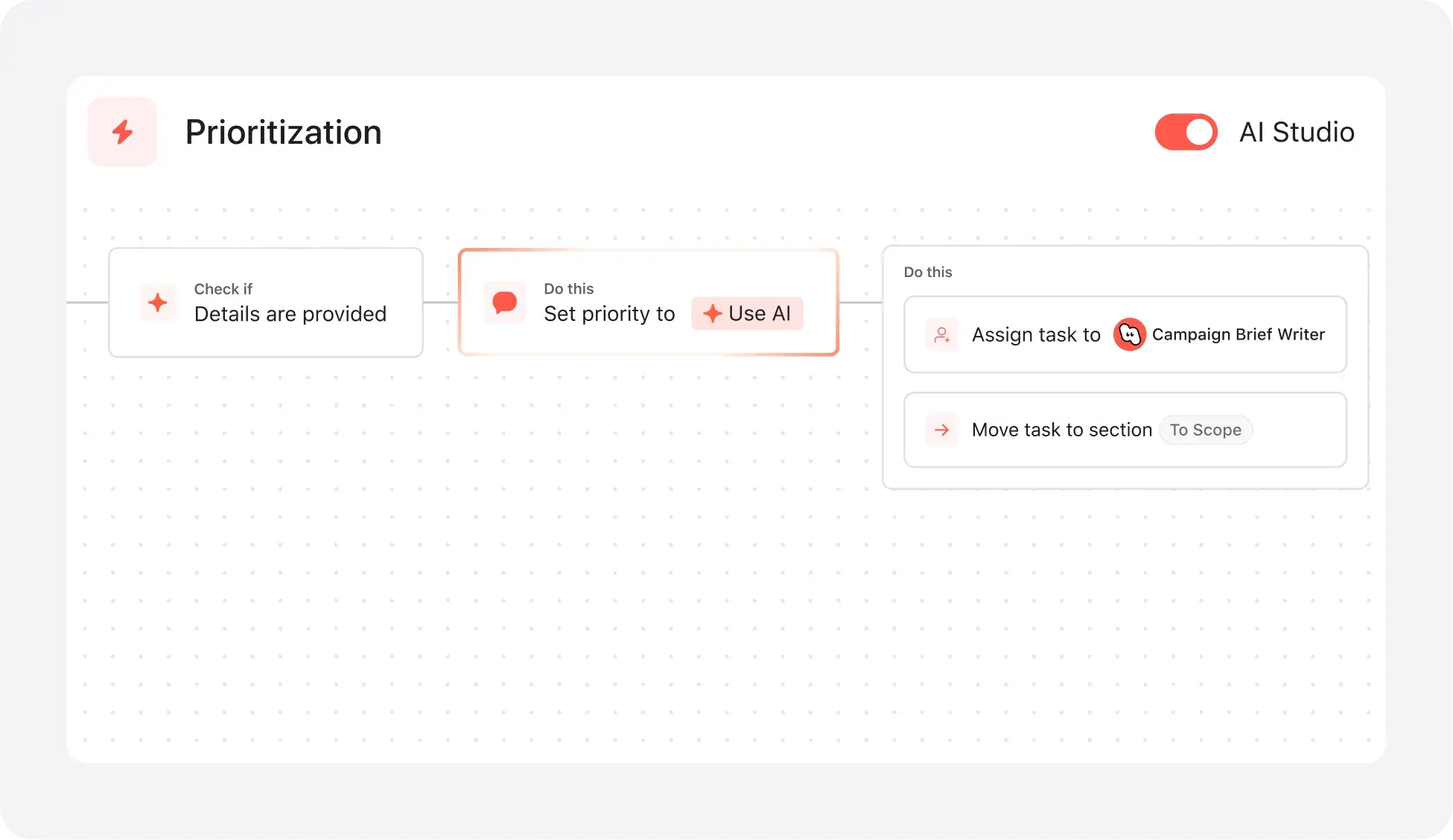
AI your whole team can actually use
Asana AI Teammates understand your goals, projects, and dependencies from day one—Jira’s AI is siloed within technical tickets, missing the cross-functional context of your business goals.
Asana AI Teammates build shared memory that compounds across your whole team—Atlassian Intelligence focuses on summarizing issues rather than maintaining a persistent "brain" for your organization.
Every AI action is visible in your activity log, just like a human teammate—Jira often attributes AI suggestions to the user who accepted them, creating accountability gaps.
Simple project & workflow tools for everyone
With Asana, users can launch new projects in minutes by choosing from multiple project views and applying templates that match their workflow—no IT support needed.
Clear, visual task assignments, due dates, and project milestones are accessible to all team members in Asana, making it easy to track progress and collaborate in real time.
Jira’s project creation and workflow customization are optimized for technical teams, often requiring more setup and technical expertise, whereas Asana supports broad adoption by non-technical users with in-product guidance and intuitive templates.
Connect 400+ integrations for scalable workflows
Asana connects with over 400 apps—including Slack, Google Workspace, Salesforce, and Tableau—so teams can automate handoffs and centralize work in one place.
Teams reduce manual updates and keep work in sync by linking Asana to marketing, analytics, and IT tools.
Jira’s application ecosystem is more technical, often requiring advanced configuration, while Asana provides business-optimized integrations that are easy to set up and automate without IT support.
Personalize with custom fields and templates
Asana lets teams of all sizes add unlimited custom fields—like priority, stage, or channel—to any project for tracking and visual task organization.
In Asana teams can color-code, filter, and sort tasks instantly, making project management clear and actionable for every project.
Jira relies on more technical configuration for customization, while Asana provides personalization with reusable custom fields and templates that keep workflows consistent across projects.
Collaborate with integrated conversations & files
Asana brings all project communication together with native task comments, project messages, and structured status updates, so teams can collaborate in real time without switching between tools.
Files, feedback, and conversations are directly linked to tasks and projects, making it easy to track progress, clarify next steps, and ensure everyone stays aligned, even as teams scale or work across departments.
Jira often requires integration with other Atlassian tools or add-ons for broader collaboration, while Asana provides built-in communication features and direct integrations with Slack and Google Drive to centralize teamwork.
What experts say about Asana
Asana is rated as a top work management platform by industry analysts and enterprise organizations.


A Leader in The Forrester Wave: Collaborative Work Management Tools 2025 Report


A Leader in the 2025 Gartner Magic Quadrant for Collaborative Work Management three years in a row
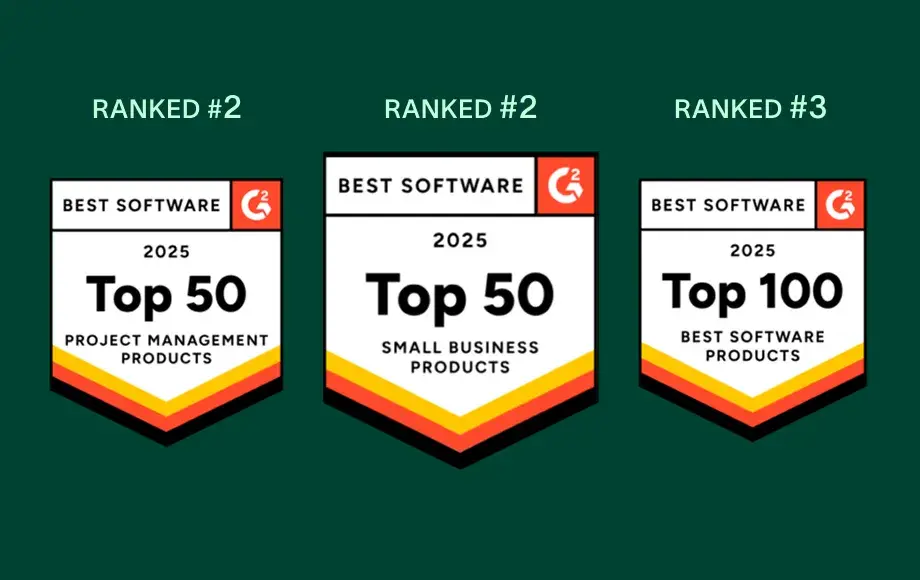
A leader in Work Management and OKR Software with more than 12,000 user reviews
FAQs
How easy is it for my team to switch from Jira to Asana?
What resources are available for training and ongoing support?
How does Asana handle onboarding for mixed technical and business teams?
Can I import my existing projects and data into Asana?
How does Asana help teams get up to speed quickly?
Join 85% of Fortune 100 companies using Asana**
**Accurate as of December 2025, includes free and paid users.